Sweepstakes casino app: the quick answer
You do not need a download simply to compare mobile sweepstakes sites. Start with the operator’s official website, establish whether its current product includes promotional prize play, and then follow its own mobile-access instructions. A Home Screen icon does not establish that an app has Sweeps Coins, cash prizes or permission to operate in your location.
This guide explains the access methods rather than ranking unverified downloads. Use our sweepstakes casino comparison for current operator records and the social casino list for entertainment-focused alternatives.
Native apps, web apps and mobile websites
A native app is software built for a particular operating system. A progressive web app uses website technologies and can provide an installed, app-like experience. A regular mobile website runs in your browser. Mozilla’s PWA documentation explains that distinction; individual features depend on the website and device.
| Format | How you open it | What to verify |
|---|---|---|
| Native store app | Install from a store listing linked by the official operator | Publisher, supported region, coin model and current listing terms |
| Installed web app | Add the official website through a supported browser | Exact domain, available features and whether the icon opens a web app or shortcut |
| Mobile website | Open the operator’s address in a current browser | Usable account controls, game compatibility and access to current rules |
These formats describe delivery, not prize eligibility. The same brand name can appear on different products. Check the particular service in front of you instead of transferring assumptions from a desktop review to a store listing.
Check a sweepstakes casino app before downloading
Open the official operator site independently, find its mobile guidance and follow the link it provides. Match the destination’s publisher and support details. Avoid relying on an advert, search-result position or copied logo as proof of ownership. If the official site does not identify a download, use its supported website or ask its support team.
Sweepstakes casino app checks that matter
Before installing, record the official domain, product name, publisher, supported device version and account-support address. Read the coin and prize description. An app advertised as a slots game may be entertainment-only even when a similarly named website has a separate promotion.
Using an iPhone: Safari and Home Screen access
For website access, open the verified address in Safari. To add an icon, Apple’s current instructions use the Share controls, then Add to Home Screen; where offered, Open as Web App controls the app-style launch. Finish with Add. Labels vary with the Safari layout and iOS version. Follow Apple’s official iPhone instructions for your device.
Adding an icon does not create a new operator account or add a missing promotional feature. Keep a bookmark to the original address so you can return to its help and rules pages. When using a shared device, sign out after your session and keep identity documents away from shared photo libraries.
Using Android: Chrome installation and shortcuts
Google documents web-app installation through Chrome: visit the intended website, open the menu and choose the available installation option. Its current Android guide shows Install and create shortcut, followed by Install. Follow Google’s web-app instructions; the options depend on browser version and website support.
If installation is unavailable, ordinary browser access may still be supported by the operator. Do not download a replacement APK from an unrelated mirror to obtain a promised bonus. Keep Play Protect enabled: Google says it checks apps for harmful behavior and may warn about, disable or remove harmful software. See Google’s Play Protect guidance.
Social casino apps: check the coins before the games
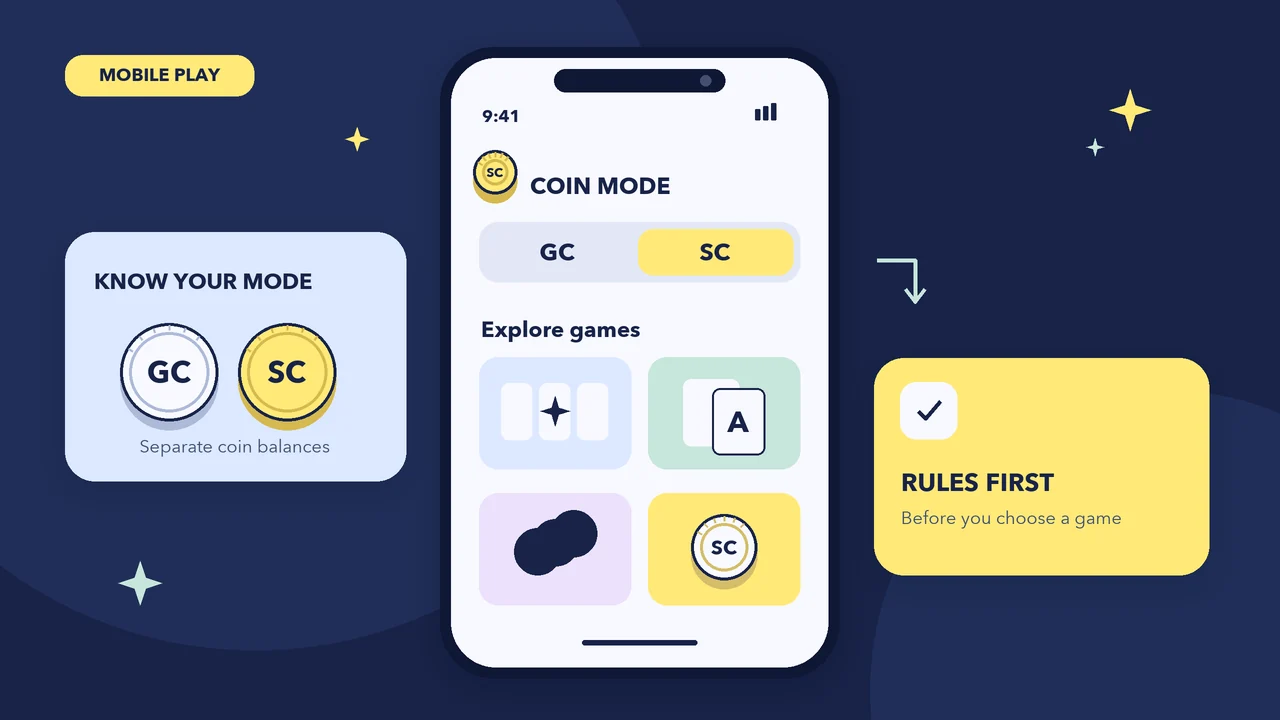
Gold Coins and similar entertainment credits should never be presented as cash merely because a game resembles a casino slot. Where a separate sweepstakes promotion exists, its rules determine entries, eligible play and prize redemption. Chumba’s official terms, for example, distinguish Standard Play with Gold Coins from promotional play; that distinction is not evidence that a particular store app offers both modes.
Read our Gold Coins versus Sweeps Coins guide before comparing balances. A welcome amount also needs its qualifying conditions, expiry and applicable playthrough. Our free SC coins page and no-purchase entry guide explain what to check without treating a download as a guarantee of rewards.
Eligibility still applies on a phone
Swipstakes is for adults aged 21 and over. Operator age thresholds and location restrictions are separate conditions. Check your state’s sweepstakes information and the operator’s current rules before participating. Travel can affect access. Do not use location-masking tools or inaccurate account details to work around a restriction.
Account verification, permissions and redemption
Use the operator’s official account flow for identity checks. Read why each document or permission is requested, and submit information only after confirming the destination. Our verification guide covers account preparation. A successful installation does not mean verification has been completed or a prize request approved.
Review camera, photo and location requests individually. Some account steps may require a document image or eligibility check, but a request should have a clear purpose. Apple explains how to review app access in Privacy & Security settings; Chrome documents website permission controls separately. Decline unexplained access and ask official support what is required.
Before playing with promotional entries, locate the redemption menu and read minimums, available methods, identity requirements and processing conditions. An app icon cannot promise faster payment. Our redemption guide separates requesting a prize from receiving it. Set a time limit, turn off unwanted promotional notifications and keep any purchases within an entertainment budget you can afford.
If a mobile game or account screen does not work
First check whether the issue affects the whole website or one game. Confirm your browser and operating system meet the operator’s published requirements, then reopen the verified website. Keep any error message, the game name and the approximate time for a support request. Do not send identity documents through an unsolicited chat or social message. If the account says your location is restricted, stop and ask official support rather than repeatedly attempting new registrations or changing location settings to bypass the block.
Sweepstakes casino app questions
Do I need a sweepstakes casino app to play on my phone?
Not necessarily. An operator may support its mobile website, an installed web app or a native download. Follow that operator’s official instructions and check which features its current mobile product actually includes.
Do all social casino apps include cash prizes?
No. Entertainment coins can be limited to social play without redemption. A separate promotional prize mode requires its own rules and eligibility checks; a casino-style design or familiar brand name does not establish that mode.
Is Add to Home Screen the same as downloading from an app store?
No. It can create a website shortcut or installed web-app experience, depending on the device and site. It does not establish app-store availability, add promotional coins or change the operator’s terms.
Can I use the same account on the app and website?
Only if the operator says those products share an account. Check its account guidance before signing up again; do not create duplicate accounts to obtain another welcome promotion.
Will an app make prize redemption instant?
No installation method guarantees instant redemption. Verification, eligible play, minimum redemption amounts, operator review and payment processing may still apply. Check the rules for the particular account and payment method.
What should I do if an app asks for unexpected permissions?
Pause and check the request against the official support and privacy information. Review permissions in device or browser settings, decline unexplained access and contact the operator through its verified website if the purpose is unclear.